Notes from the maintainer:
> I started this project when I was still new to TS and full-stack development. Bad practices, confusing patterns, and messed up types are everywhere. Suggestions for improvements are very much welcome!
> The client is currently being rewritten at the `frontend-refactor` branch ([#24](https://github.com/ntampus/chessu/pull/24)). Contributions to `main` that involve the frontend may get overwritten, but I'll try to cherry-pick those that can be applied to the new branch.



Yet another Chess web app. Live demo at ches.su.
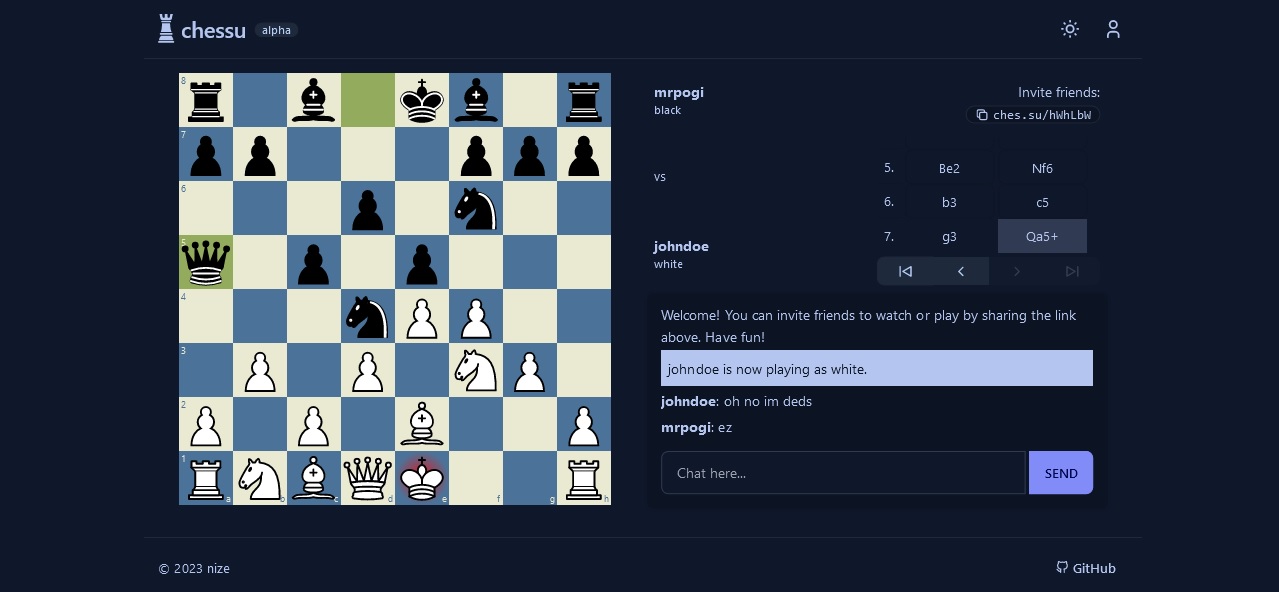
- play against other users in real-time
- spectate and chat in ongoing games with other users
- _optional_ user accounts for tracking stats and game history
- ~~play solo against Stockfish~~ (wip)
- mobile-friendly
- ... and more ([view roadmap](https://github.com/users/ntampus/projects/2))
Built with Next.js 14, Tailwind CSS + daisyUI, react-chessboard, chess.js, Express.js, socket.io and PostgreSQL.
## Development
> Node.js 18 or newer is recommended.
This project is structured as a monorepo using **pnpm** workspaces, separated into three packages:
- `client` - Next.js application for the front-end, deployed to [ches.su](https://ches.su) via Vercel.
- `server` - Node/Express.js application for the back-end, deployed to [server.ches.su](https://server.ches.su) via Railway.
- `types` - Shared type definitions required by the client and server.
### Getting started
1. Install [pnpm](https://pnpm.io/installation).
2. Install the necessary dependencies by running `pnpm install` in the root directory of the project.
3. In the `server` directory, create a `.env` file for your PostgreSQL database. You can try [ElephantSQL](https://www.elephantsql.com/) or [Aiven](https://aiven.io/postgresql) for a free hosted database.
```env
PGHOST=db.example.com
PGUSER=exampleuser
PGPASSWORD=examplepassword
PGDATABASE=chessu
```
4. Run the development servers with `pnpm dev`.
- To run the frontend and backend servers separately, use `pnpm dev:client` and `pnpm dev:server`, respectively.
5. You can now access the frontend at http://localhost:3000 and the backend at http://localhost:3001.
## Contributing
Please read our [Contributing Guidelines](./CONTRIBUTING.md) before starting a pull request.
## License
[MIT](./LICENSE)